One free package for the Unity Editor. Describe what you want and Synagy plans it with a price, builds it in your project, then compiles, play-tests and fixes it. Or let your own agent drive the editor.
A pirate cove, placed, lit and play-tested by an agent
1free package for the Unity Editor
2ways in: our chat or your own agent
6editor tools your agent gets over MCP
0credits for a part that fails
Real footage
A pirate cove, built by an agent.
Reads the Synagy playbook
Places CC0 models
Lights it in HDRP
Plays it in the editor
An AI agent drove Unity 6 through the Synagy MCP and the Unity package: it placed CC0 models from Poly Haven, lit the scene in HDRP and added smoke, fire and water.
Two ways in
One package, both included.
Synagy chat
Our crew builds it for you
Early access
Synagy > Open Chat, Ctrl+Shift+Y or the button in the Scene view
A plan with a price in credits before anything is built
C# scripts, scene objects and materials in your project
Compiles, play-tests, checks a screenshot and fixes itself
You write
“Make the selected object a pickup that gives points and plays a sound.”
Your own agent
Claude Code, Codex, Cursor and more
Free · today
Connects through the Synagy MCP server, no sign-in
Runs editor C# and reads compiler errors with file and line
Reads the Console, starts Play mode, takes screenshots
Everything stays on your machine
You write
“Make the enemies patrol between waypoints and chase the player when close.”
How the chat works
From one line to Try it.
1
Install the package
Unzip it into Packages/ or add the tarball in the Package Manager.
2
Open the chat
It opens by itself the first time. Later: Synagy > Open Chat or Ctrl+Shift+Y.
3
Describe it
A game, a mechanic or a change. It takes your selection and open scene as context.
4
Check the plan
Every part with its price in credits. Then press Build.
5
Watch it build
Scripts compile, Play mode runs, a screenshot gets checked. Then Try it.
Or just chat
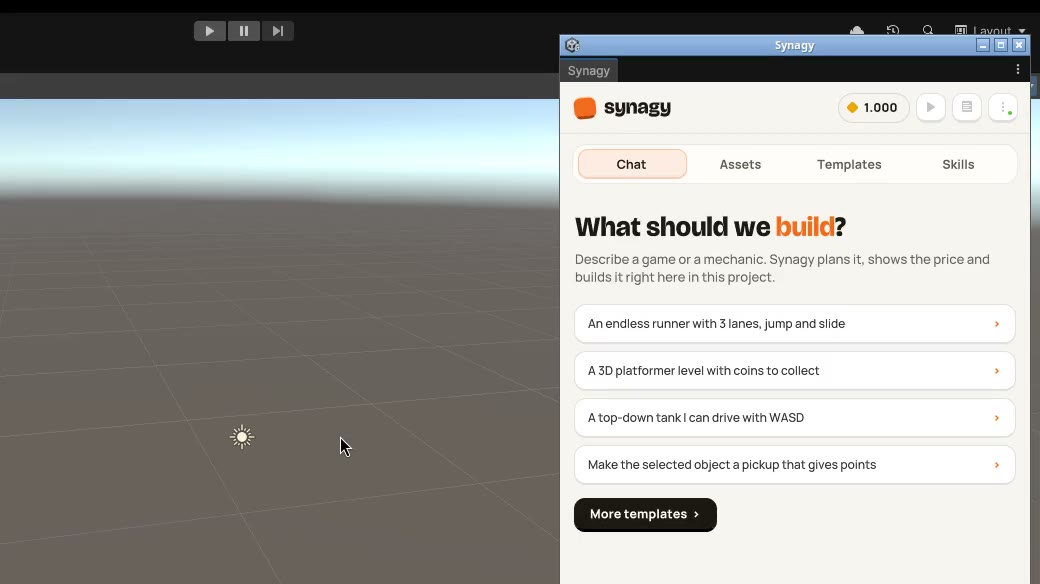
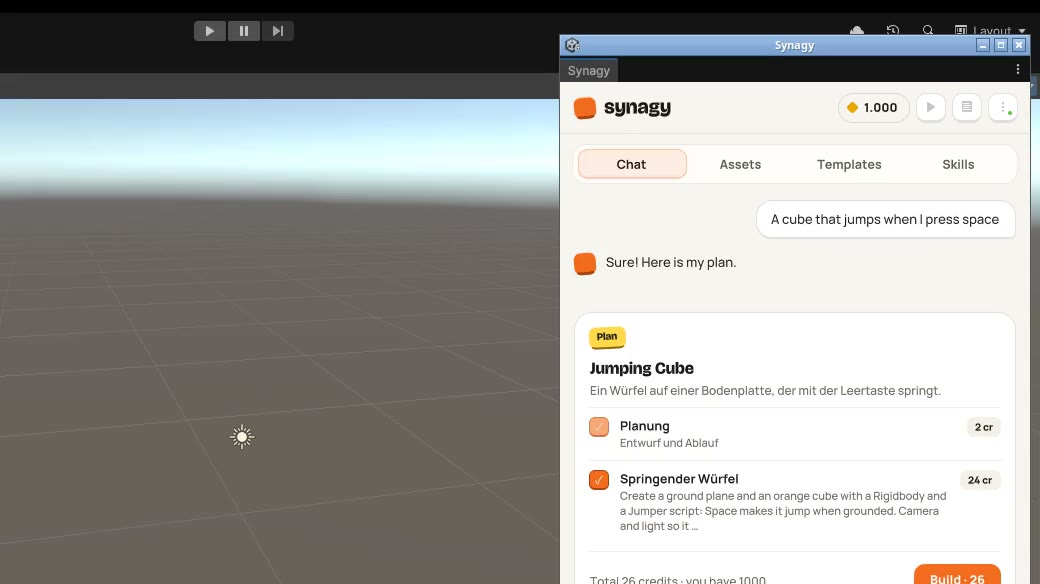
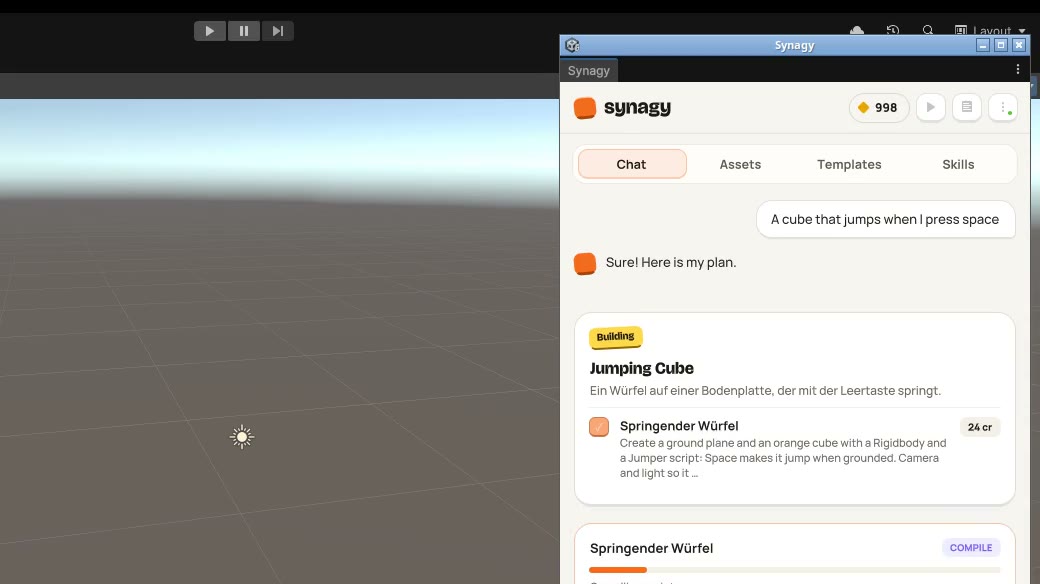
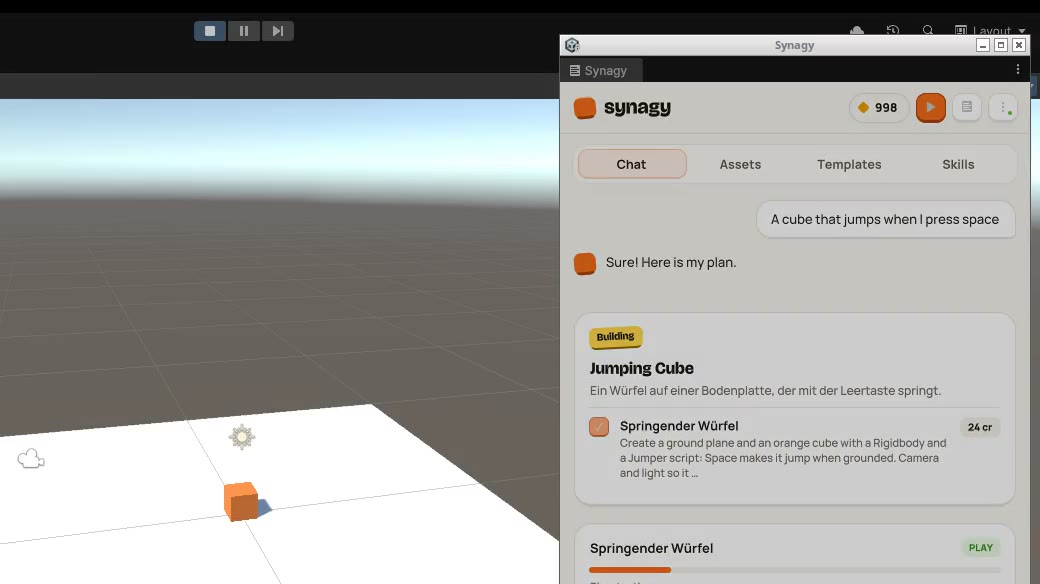
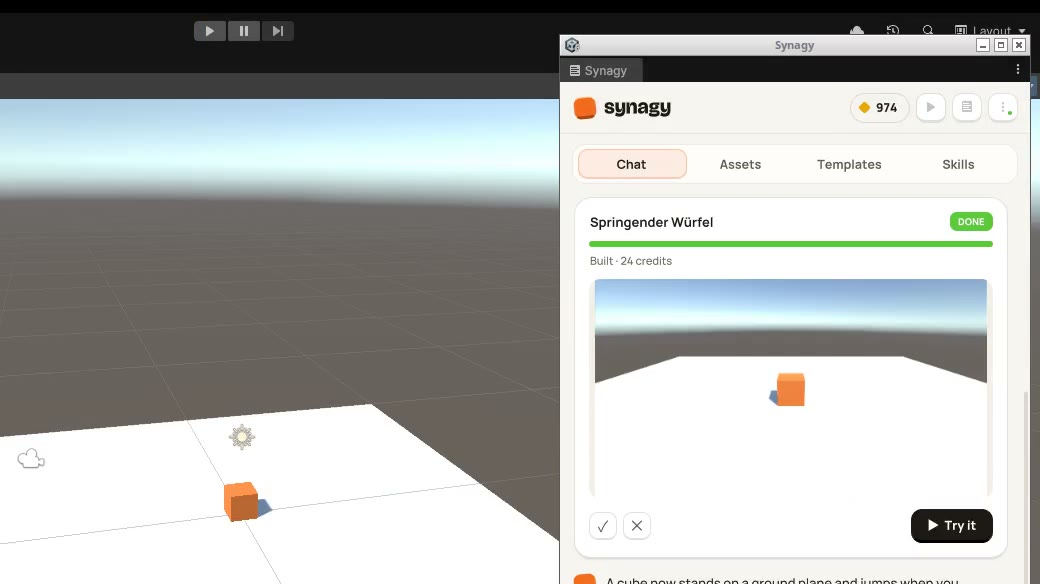
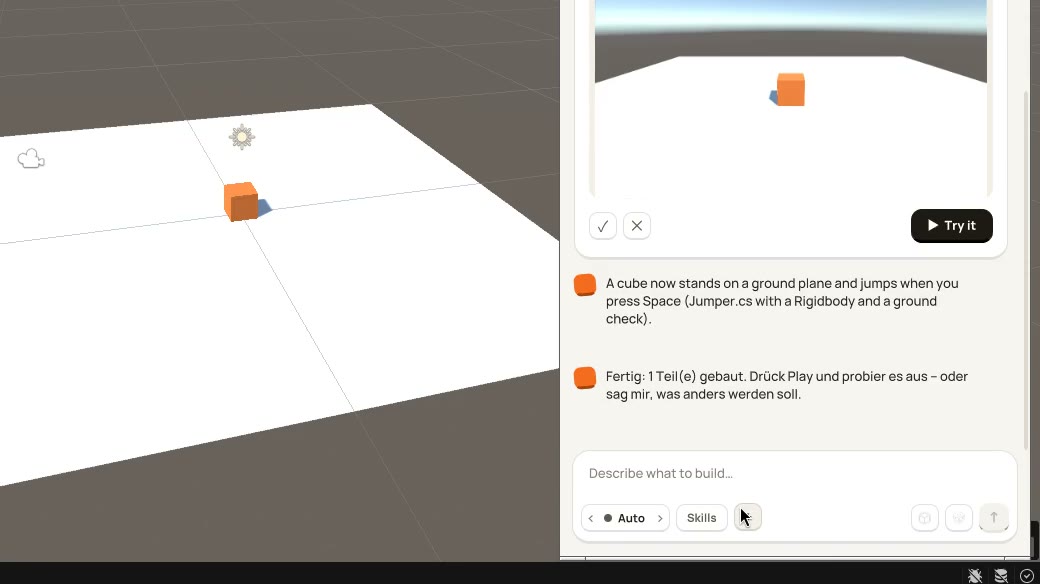
One line to a playable cube.
Describe it
Check the plan and its price
Compile, play-test, fix
Try it
“A cube that jumps when I press space.” Planned with its price, built, compiled and play-tested inside the editor.
Right in the editor
The Synagy chat docks next to your scene.
Plan with prices
Every part with its price in credits.
Built in your project
C# scripts, scene objects, materials.
Play-tested
Compiled, run in Play mode, checked on a screenshot.
Try it
One click and you play what was built.
Explained
What changed and where, so you can keep going.
What your agent gets
All MCP tools work in Unity.
Run editor C#
engine_run returns output and errors with line numbers.
Compile
unity_compile reports compiler errors with file and line.
Read the Console
engine_logs shows the newest lines, errors marked.
Play mode
engine_play starts and stops the game to test it.
Screenshots
engine_screenshot hands the agent a picture of the scene.
Scene outline
engine_scene lists objects, types, positions and sizes.
Why it holds up
Checked, local, fair.
Checks its own work
Every part compiles, runs in Play mode and gets a screenshot review before you see it. Errors go back to the builder, not to you.
Your project stays yours
Synagy writes into Assets/Synagy/ and keeps the conversation in UserSettings. Your own code and scenes stay as they are.
Runs on your machine
The bridge listens only on this computer. With your own agent, no project data is sent to Synagy.
Pay only for what works
Package and MCP are free. The chat runs on credits, shows the price first, and a part that fails costs nothing.
Install
Two minutes, either way.
By hand
Drop it into Packages/.
Unzip synagy-unity.zip into the Packages folder of your project, or in Unity: Package Manager > + > Install package from tarball.
Unity 6 (6000.0) or newer, on Windows, macOS and Linux. We test against Unity 6000.0.84f1.
Can I use the Synagy chat today?
The chat is in early access: it signs in with your Synagy account and opens to everyone together with the Synagy Cloud. The package and the MCP way with your own agent work today.
What does it cost?
The package and the MCP server are free. With your own agent you pay whatever that agent costs you. The Synagy chat runs on credits: you see the price before it builds, and failed parts are free.
What does it change in my project?
Your game’s scripts, materials, prefabs and scenes go into Assets/Synagy/. Every editor command compiles once, so expect a short domain reload. Use version control in projects you care about.
Which agents can I use?
Claude Code, Codex, Hermes, Cursor, Antigravity and any other agent that runs a local MCP server. Signed in, the studio writes the setup prompt for yours.
My agent says Unity is not connected.
Ask it to call engine_status: the answer names the missing step. Usual causes: the agent was not restarted after setup, Unity is closed, or the project has compile errors (Unity loads no editor code then).
Free package
Build your next game in Unity.
Works with your own agent today. The Synagy chat follows in early access.